Huge discounts on all products today!

How it works
Setting up only takes only a few seconds.
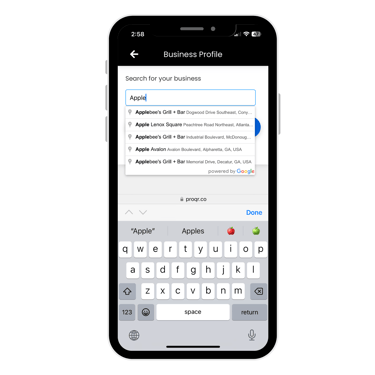
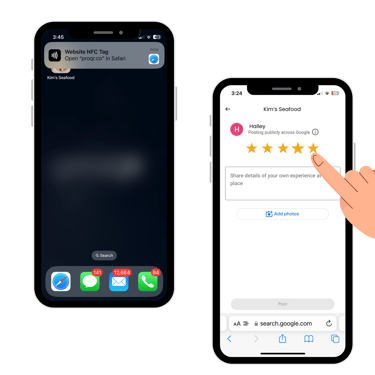
Tap or Scan your New proQR Smart Google Review Stand.
Simply tap or scan your proQR Smart Google Review Stand to sign up, select your business, and click save. Your all set! Future taps or scans will direct users to your profile, displaying your business name, phone number, website, and a convenient write-a-review button.
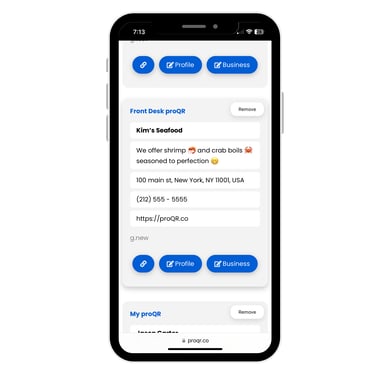
Google Review > Add & Manage
To update your profile, simply tap or scan your proQR Smart Google Review Stand, navigate to the bottom, and click on proQR. You will be directed to log in, then navigate to Google Review > Add & Manage, where you can update your profile or change business information. Alternatively, you can log in at proQR.co.
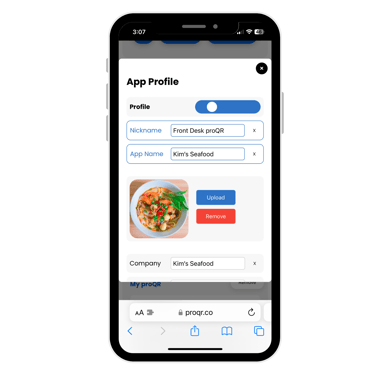
Manage App profile
Within the management interface, you can easily update your profile information here by adding an app name, logo, photos, business or personal name (if using as a personal business card, enter your name in the company field). Additionally, you can integrate your social media accounts and CashApp. For those managing multiple proQR Smart Google Stands, you can assign each a unique nickname for easy organization.
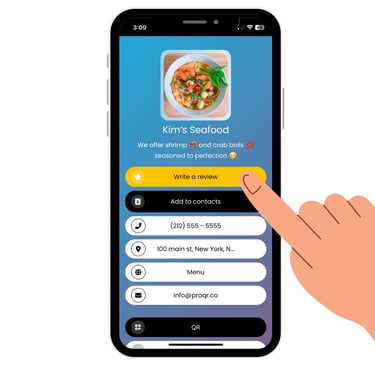
App Profile
On your proQR profile, users can perform various actions such as writing a review, adding you to their contacts, making calls, getting directions, accessing your website, sending emails, connecting via social media, and making payments through CashApp. Additionally, they can share your profile and save it to their home screen using the "Add to Home Screen" feature, turning your profile into a personalized app on their device.
Additional features such as QR code sharing option. Users can copy and share your link, use the share button for individual sharing, or download your proQR code to print and distribute. This makes it easy to share your business details in multiple ways, ensuring you stay connected with your audience.
Manage Account
Make changes anytime.
App Profile
The proQR app profile is multipurpose, serving as your very own app, digital business card, link in bio, website, and more.
Digital Business Card
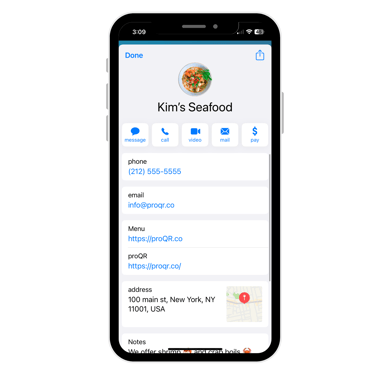
Your proQR profile also functions as a digital business card. Users can save your contact details with just a click, adding your name, phone number, email, website, bio, and profile link directly to their phone. Moreover, your bio becomes searchable on their device, allowing users to find you by searching keywords from your bio even if they forget your name. This ensures that your business remains easily accessible and memorable.
Profile Toggled On/Off
Easily manage your customer interactions by toggling your profile off to direct users straight to leave a review, or toggling it on to guide them to your comprehensive app profile.
proQR
Streamline your review process with our user-friendly platform.
Quick
info@proQR.co
© 2025 proQR by Xvoox. All rights reserved.